

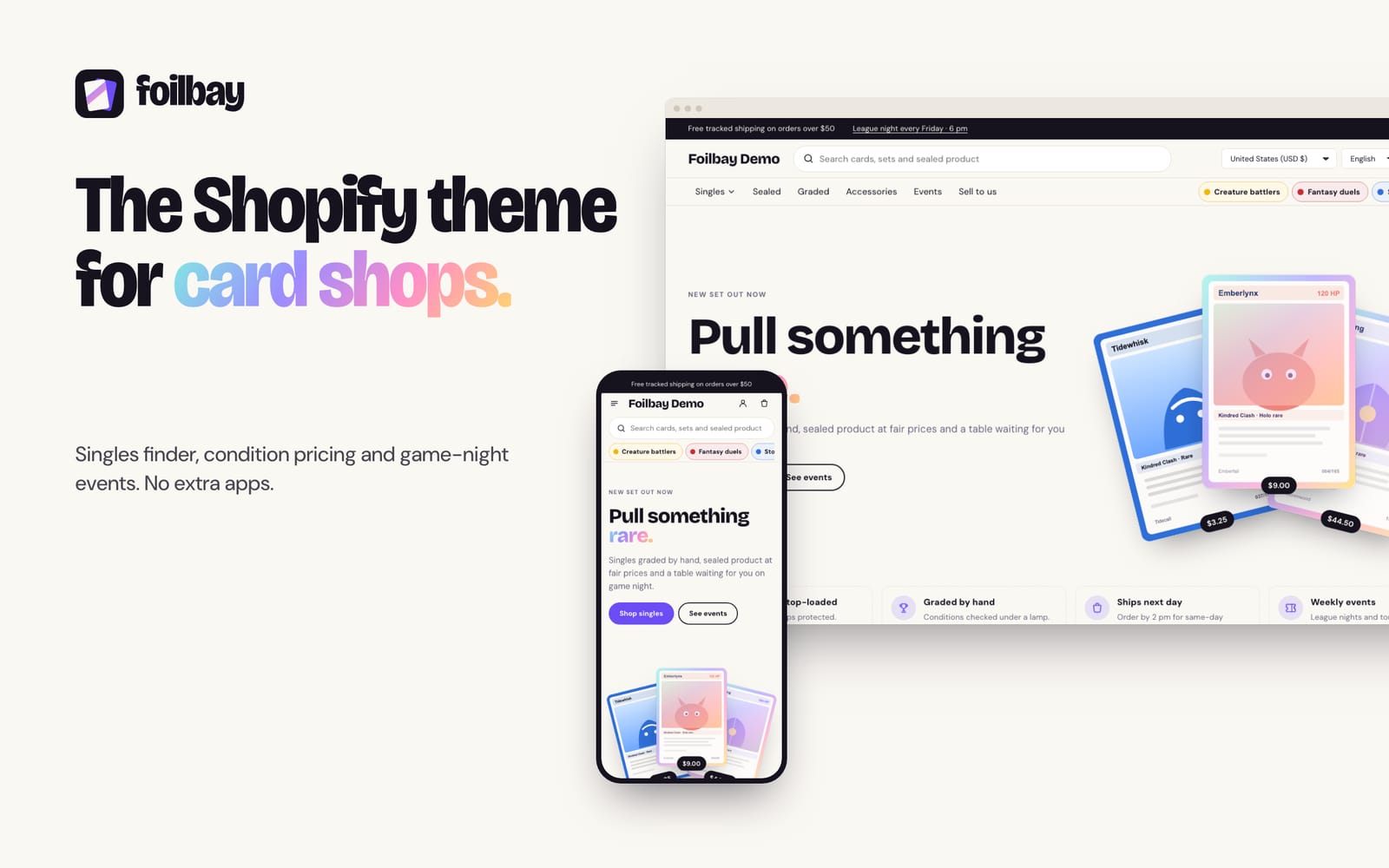
Foilbay is for trading card game stores and local game stores that sell singles, sealed product, accessories and events from one Shopify store.
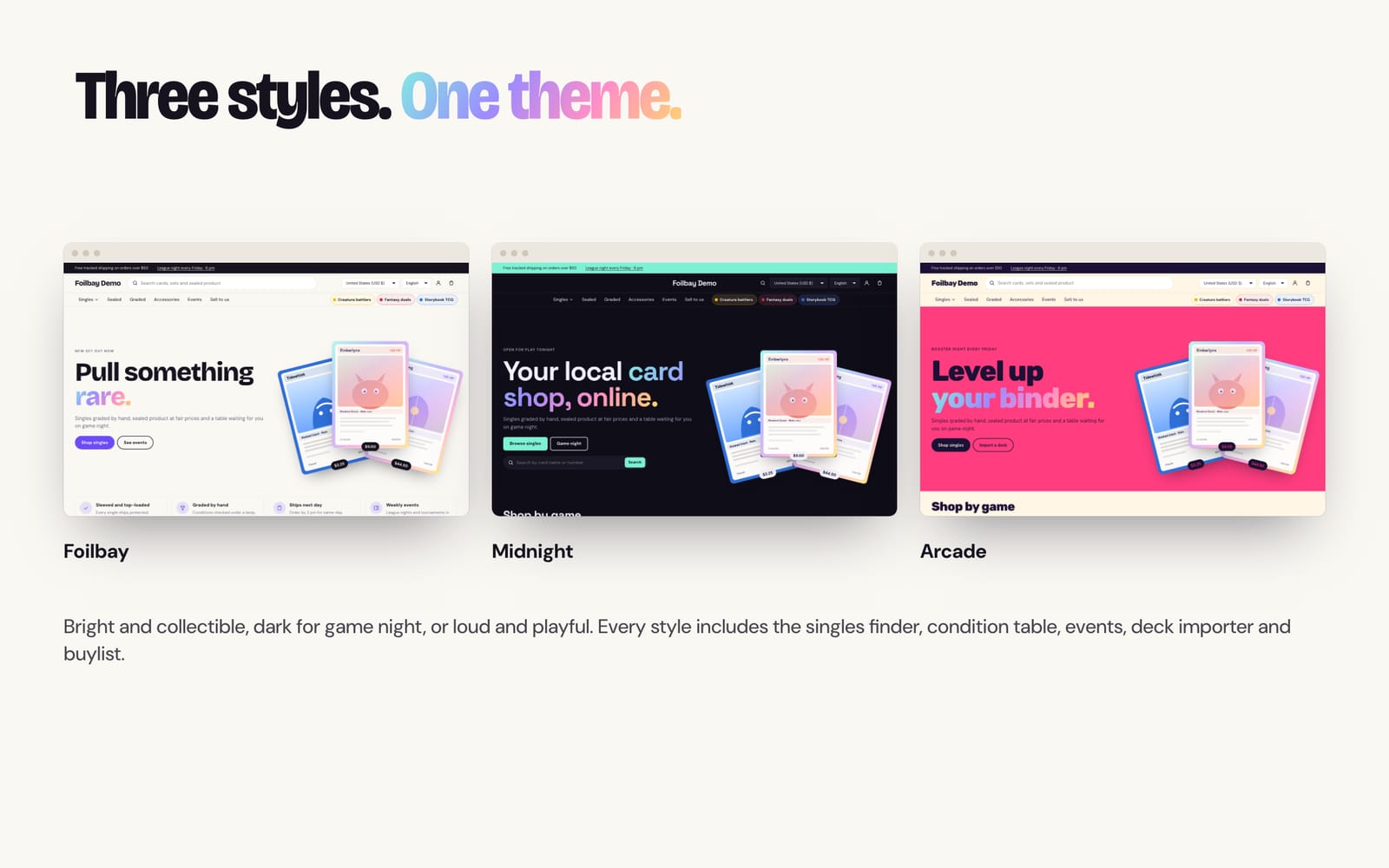
It includes the tools card shops usually pay apps for: a deck list importer, a buylist, set checklists, quick view, a sticky add-to-cart bar, star ratings and recently viewed. It comes in three styles: Foilbay, Midnight and Arcade.
At a glance
- Singles finder
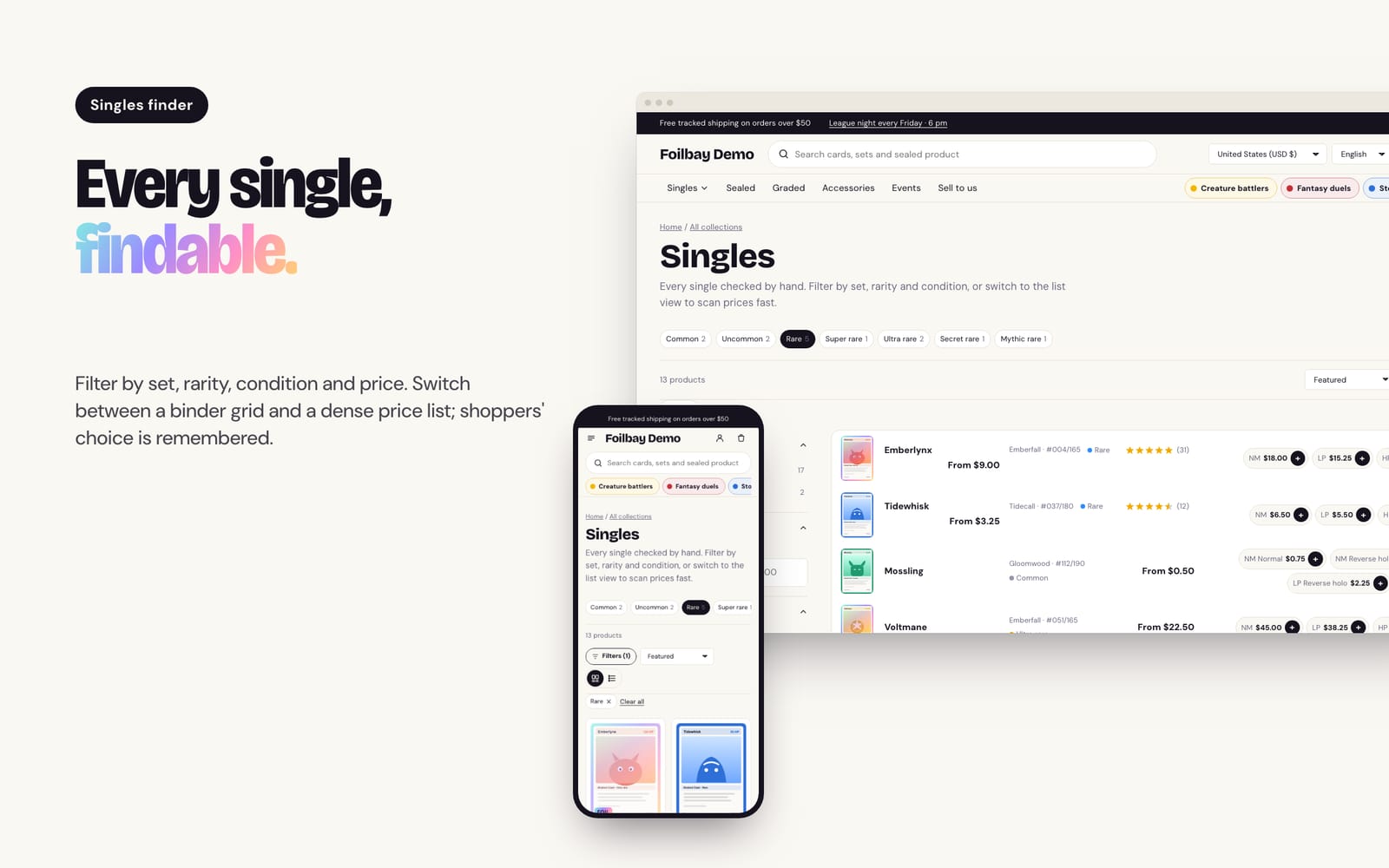
- Filters that update without reloading, binder grid or dense list, and card-shaped images with an optional foil shine.
- Condition table
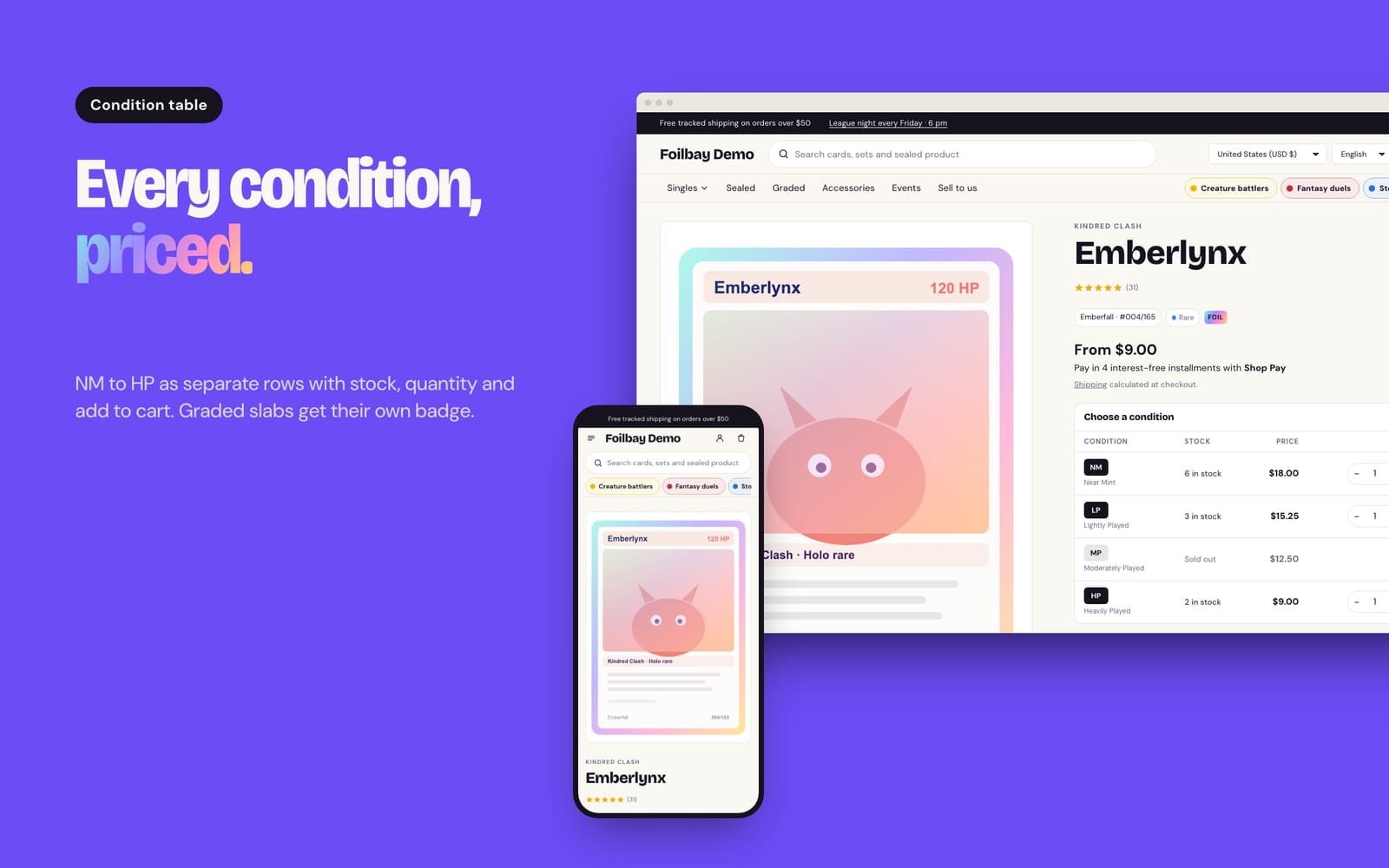
- One row per condition with stock, price, quantity and Add, and graded slab badges for PSA, BGS and CGC.
- Deck importer
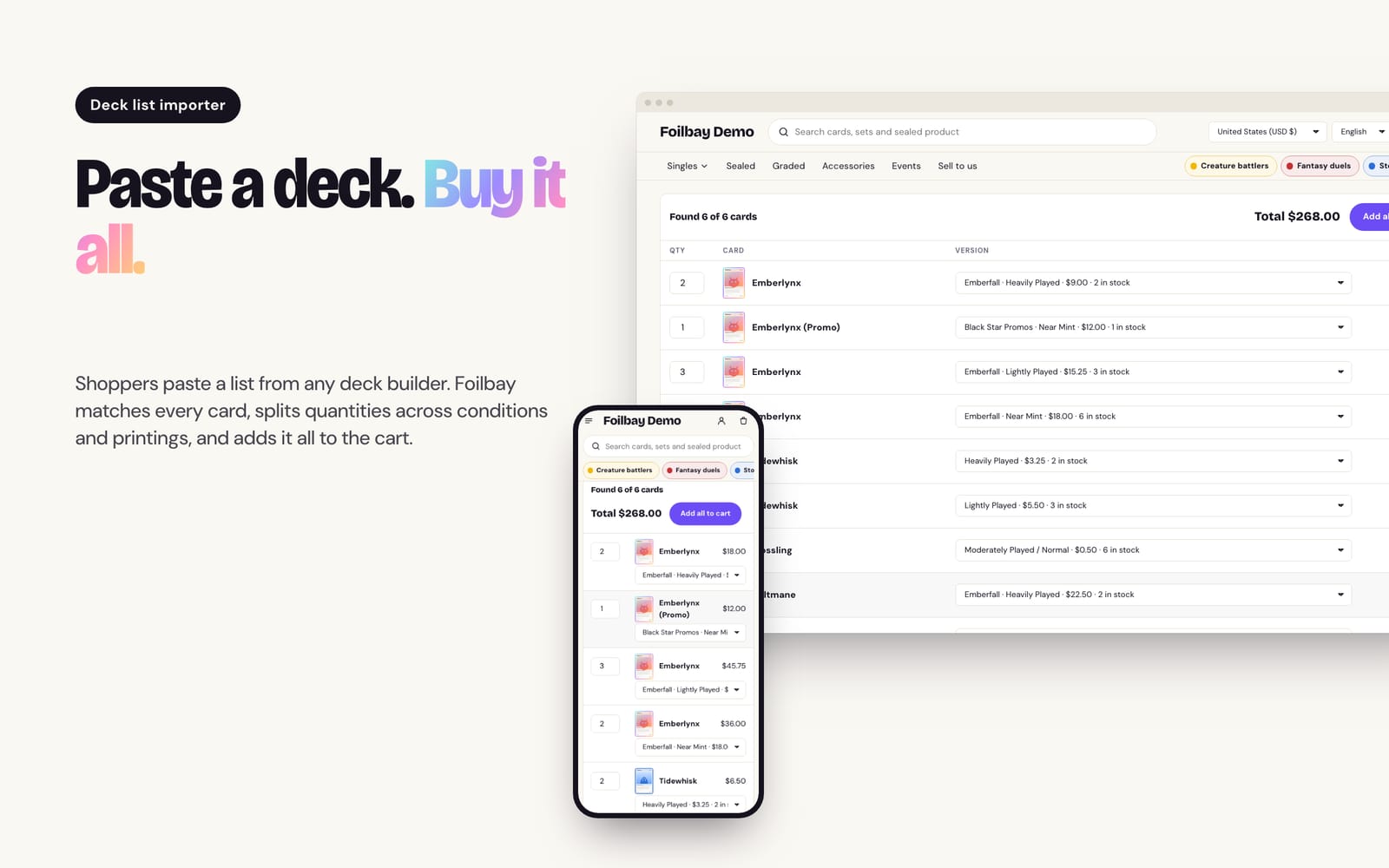
- Paste a deck list and it adds the cards across printings and conditions, and tells you what's missing.
- Buylist
- Cash and store credit payouts, sent to your shop email and working even without JavaScript.
- Events
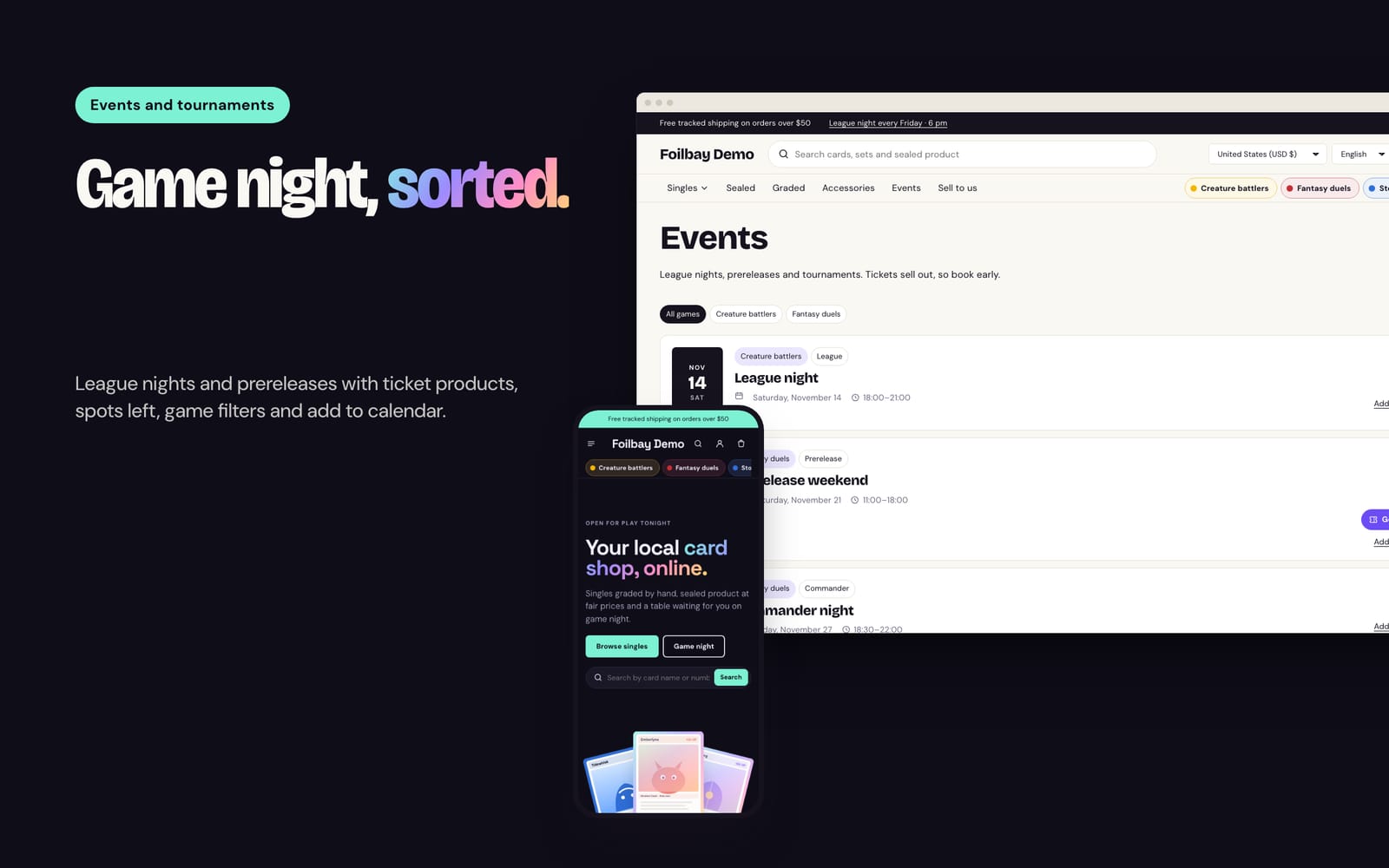
- Game nights and tournaments with entry fees, spots left from ticket stock and add-to-calendar.
How it works
- Add Foilbay from the Shopify Theme Store and choose a style: Foilbay, Midnight or Arcade.
- Set your logo, menu and a Game block for each game you sell.
- Choose where card data lives: Shopify category fields, tcg metafields, or set, number and rarity tags (which work with CSV imports).
- Install Shopify's free Search & Discovery app and add filters for availability, price, condition, set and rarity.
- Set up the home page, Events, Deck importer and Sell to us pages.
Features in detail
Singles finder
- Fast filters
- Results update without reloading the page; on phones filters open in a drawer.
- Quick filter chips
- One filter, such as rarity, shown as chips above the results.
- Binder or list
- Shoppers switch between a binder grid and a dense list, and their choice is remembered.
- Card-shaped images
- Trading card, square or natural image shape, with an optional foil shine.
Card data and product page
- Reads your data
- Rarity, set, number, foil, condition and grading from category fields, tcg metafields or tags, in that order.
- Condition table
- One row per variant with stock, price, quantity and Add. Sold-out rows can stay visible.
- Short conditions
- Near Mint can show as NM, Lightly Played as LP, and so on.
- Graded slabs and pre-orders
- A grading badge from the Grading field, and a pre-order badge and button from a tag.
Shop tools
- Deck importer
- Accepts "4 Card name", "4x Card name" and "Card name x4", splits quantities across conditions by stock, and reports missing cards.
- Buylist
- Cash and store credit percentages. Submissions go to your contact email tagged buylist.
- Set checklist
- Every card in a set in number order, with gaps marked, filtered by in stock, missing or foil.
Events and home page
- Events
- Date, times, game and format chips and entry fee. Ticket stock shows spots left and "Event full". Past events hide themselves.
- Release countdown
- Days, hours and minutes to a set release, with a pre-order button.
- Card fan hero
- Three featured cards fanned out on the home page.
Screens
Requirements
- Filters need Shopify's free Search & Discovery app.
- Star ratings need a reviews app, such as Shopify Product Reviews, Judge.me or Loox.
- Condition chips need a variant option named Condition or Grade, or a custom name set in the theme.
Questions
Do I need apps?
No. Filters use Shopify's free Search & Discovery app, and everything else is built in.
Can I sell event tickets?
Yes, as ordinary products with inventory. The event shows spots left and marks itself full when tickets sell out.
Will it work with my inventory tool?
Yes, if the tool writes standard Shopify products, variants, tags or category fields.
How do shoppers sell cards to me?
Through the buylist page. Each submission is emailed to your store with the payout they chose.
Where do I buy it?
On the Shopify Theme Store, once it's approved. You pay through Shopify and can try it in your store first.
Something else?
Email hello@utilwell.com.